🇳🇿 WHV 全链路核心数据预填资产仓
WHV Core Data Autofill Depot & Flow Simulator
⚠️ 重要提示 / IMPORTANT NOTICE:
[中] 填写保存前**请务必确认填写内容的真实、完整与准确性**。本插件纯属本地浏览器表单流程模拟工具,对因用户自身内容填写错误、数据不实或虚假信息导致的申请失败、账号受限及其他法律后果,本插件及原作者概不承担任何法律与经济责任。
[EN] Before saving, **please ensure all input data is truthful, complete, and accurate**. This extension is purely a local browser form-filling simulator. The developer **assumes no legal or financial liability** for application failures, account restrictions, or any consequences resulting from incorrect or untruthful user data.
📖 使用步骤 / Operation Steps 中英双语 / Bilingual
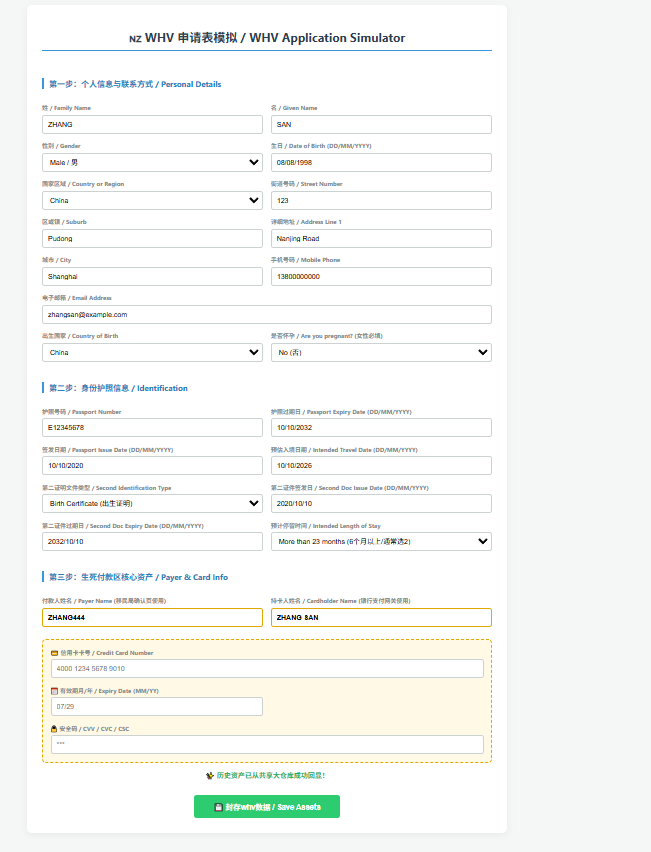
Step 1 填写数据表单 / Fill out the Form
[中] 点击插件图标,在双语配置面板中预先填入您的模拟或真实资产数据,确认无误后点击“封存资产”。
[EN] Click the extension icon, enter your mock or real data into the bilingual panel, and click "Save Assets" after verification.
Step 2 安装人工自动验证插件 / Install Verification Plugin
[中] 请确保配合加装合规的人工辅助验证或第三方验证码中转插件(例如Yescaptcha 人机助手),以便在自动化触发表单提交后,快速无缝完成页面的滑块/人机验证。
[EN] Ensure you install a matching manual verification or third-party CAPTCHA plugin to seamlessly clear safety check-points after the auto-fill triggers.
Step 3 开放日登录并进入申请页面 / Login & Access the Apply Page
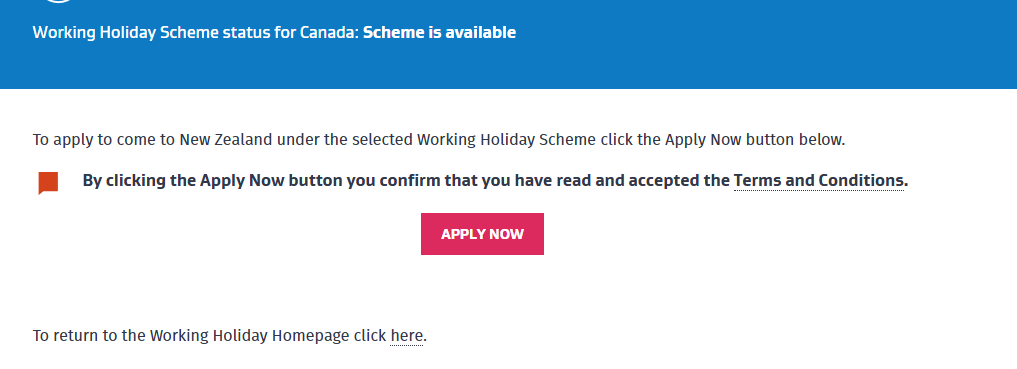
[中] 开放日当天登录官方系统,进入最终的 Apply 递交页面。插件在识别到对应安全域名后将开始自动高频检索并秒级回显预填。
[EN] Log in on opening day and proceed to the final "Apply" page. The extension will automatically detect the secured domain and trigger millisecond-level autofill.
Step 4 等待付款锁定 / Awaiting Payment Gateway
[中] 页面自动跳转至网关(Paystation/Windcave)后,脚本将自动锁定并切断刷新时钟。**请人工核对卡号与金额,确认 100% 无误后手动点击支付**。
[EN] Once redirected to Paystation/Windcave, the script will lock inputs and kill the refresh timer. **Manually verify your card & amount, then click pay.**
🎬 完整视频演示 / Full Video Demonstration
🔒 安全获取通道 / Secure Access Channels
⚡ 赞赏解锁工具
需支付:¥29.90
请选择支付方式并点击支付
🌐 Channel B1: International Stripe Link
Suitable for Global Applicants (Visa, Mastercard, Apple Pay)
[中] 专为持有海外双币/多币种信用卡的用户打造的高速结算网关,即付即用。
[EN] Secure global tokenization sandbox gateway for secure payment lock-in checks.
🌐 Channel B2: GitHub Star Unlock
[免费通道] 为项目点 Star 后自动解锁下载直链